带帧缓冲的生活游戏#
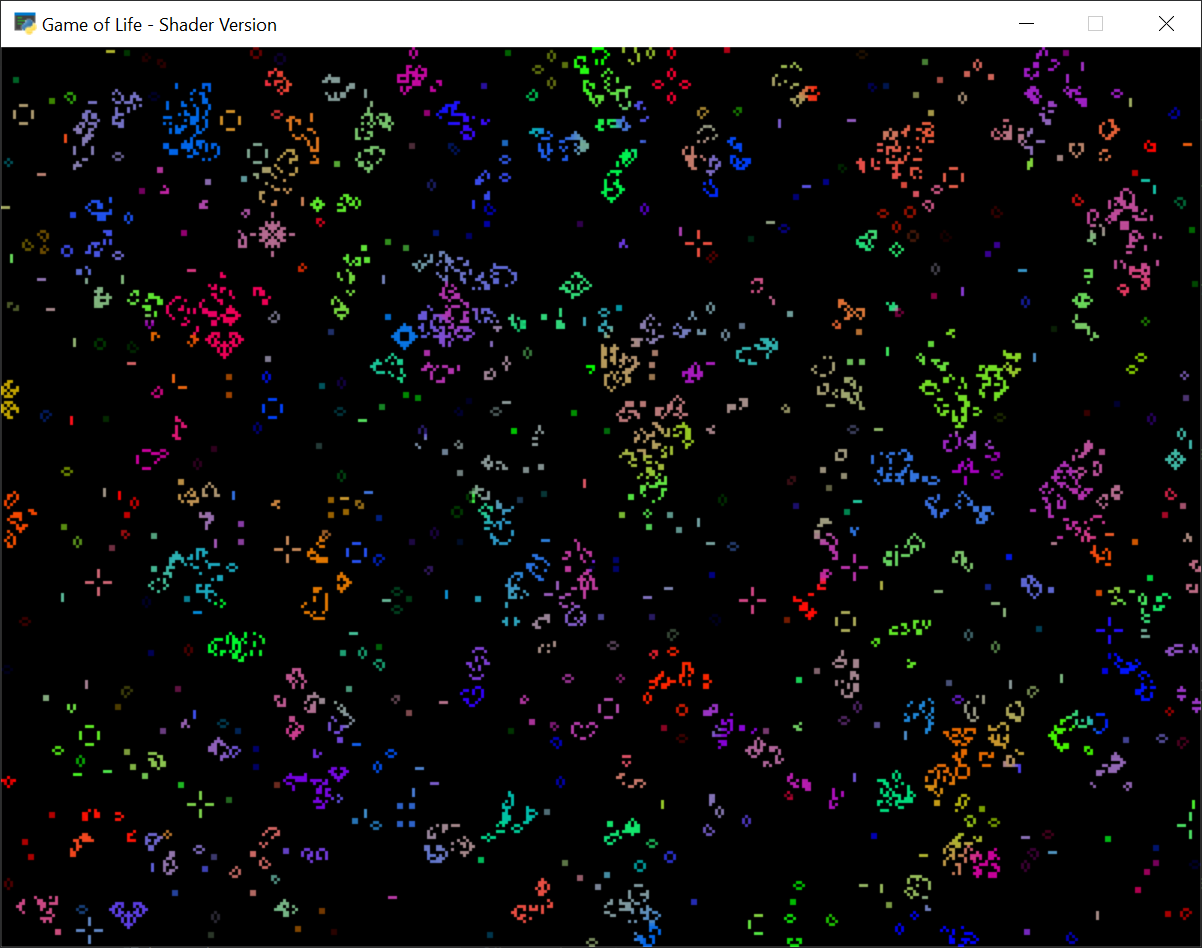
game_of_life_colors.py#
1 2 3 4 5 6 7 8 9 10 11 12 13 14 15 16 17 18 19 20 21 22 23 24 25 26 27 28 29 30 31 32 33 34 35 36 37 38 39 40 41 42 43 44 45 46 47 48 49 50 51 52 53 54 55 56 57 58 59 60 61 62 63 64 65 66 67 68 69 70 71 72 73 74 75 76 77 78 79 80 81 82 83 84 85 86 87 88 89 90 91 92 93 94 95 96 97 98 99 100 101 102 103 104 105 106 107 108 109 110 111 112 113 114 115 116 117 118 119 120 121 122 123 124 125 126 127 128 129 130 131 132 133 134 135 136 137 138 139 140 141 142 143 144 145 146 147 148 149 150 151 152 153 154 155 156 157 158 159 160 161 162 163 164 165 166 167 168 169 170 171 172 173 174 175 176 177 178 179 180 181 182 183 184 185 186 187 188 189 190 191 192 193 194 195 196 197 198 199 200 201 202 203 204 205 206 207 208 209 210 211 212 213 214 | """ Game of Life - Shader Version We're doing this in in a simple way drawing to textures. We need two textures. One to keep the old state and another to draw the new state into. These textures are flipped around every frame. This version of Game of Life also use colors. Dominant colonies will keep spreading their color. Press SPACE to generate new initial data The cell and window size can be tweaked in the parameters below. """ import random from array import array from arcade import key import arcade from arcade.gl import geometry CELL_SIZE = 2 # Cell size in pixels WINDOW_WIDTH = 512 # Width of the window WINDOW_HEIGHT = 512 # Height of the window FRAME_DELAY = 2 # The game will only update every 2th frame class GameOfLife(arcade.Window): def __init__(self, width, height): super().__init__(width, height, "Game of Life - Shader Version") self.frame = 0 # Configure the size of the playfield (cells) self.size = width // CELL_SIZE, height // CELL_SIZE # Create two textures for the next and previous state (RGB textures) self.texture_1 = self.ctx.texture( self.size, components=3, filter=(self.ctx.NEAREST, self.ctx.NEAREST), ) self.texture_2 = self.ctx.texture( self.size, components=3, filter=(self.ctx.NEAREST, self.ctx.NEAREST) ) self.write_initial_state() # Add the textures to framebuffers so we can render to them self.fbo_1 = self.ctx.framebuffer(color_attachments=[self.texture_1]) self.fbo_2 = self.ctx.framebuffer(color_attachments=[self.texture_2]) # Fullscreen quad (using triangle strip) self.quad_fs = geometry.quad_2d_fs() # Shader to draw the texture self.display_program = self.ctx.program( vertex_shader=""" #version 330 in vec2 in_vert; in vec2 in_uv; out vec2 uv; void main() { gl_Position = vec4(in_vert, 0.0, 1.0); uv = in_uv; } """, fragment_shader=""" #version 330 uniform sampler2D texture0; out vec4 fragColor; in vec2 uv; void main() { fragColor = texture(texture0, uv); } """, ) # Shader for creating the next game state. # It takes the previous state as input (texture0) # and renders the next state directly into the second texture. self.life_program = self.ctx.program( vertex_shader=""" #version 330 in vec2 in_vert; void main() { gl_Position = vec4(in_vert, 0.0, 1.0); } """, fragment_shader=""" #version 330 uniform sampler2D texture0; out vec4 fragColor; // Check if something is living in the cell bool cell(vec4 fragment) { return length(fragment.xyz) > 0.1; } void main() { // Get the pixel position we are currently writing ivec2 pos = ivec2(gl_FragCoord.xy); // Grab neighbor fragments + current one vec4 v1 = texelFetch(texture0, pos + ivec2(-1, -1), 0); vec4 v2 = texelFetch(texture0, pos + ivec2( 0, -1), 0); vec4 v3 = texelFetch(texture0, pos + ivec2( 1, -1), 0); vec4 v4 = texelFetch(texture0, pos + ivec2(-1, 0), 0); vec4 v5 = texelFetch(texture0, pos, 0); vec4 v6 = texelFetch(texture0, pos + ivec2(1, 0), 0); vec4 v7 = texelFetch(texture0, pos + ivec2(-1, 1), 0); vec4 v8 = texelFetch(texture0, pos + ivec2( 0, 1), 0); vec4 v9 = texelFetch(texture0, pos + ivec2( 1, 1), 0); // Cell in current position is alive? bool living = cell(v5); // Count how many neighbors is alive int neighbours = 0; if (cell(v1)) neighbours++; if (cell(v2)) neighbours++; if (cell(v3)) neighbours++; if (cell(v4)) neighbours++; if (cell(v6)) neighbours++; if (cell(v7)) neighbours++; if (cell(v8)) neighbours++; if (cell(v9)) neighbours++; // Average color for all neighbors vec4 sum = (v1 + v2 + v3 + v4 + v6 + v7 + v8 + v9) / neighbours; if (living) { if (neighbours == 2 || neighbours == 3) { // The cell lives, but we write out the average color minus a small value fragColor = vec4(sum.rgb - vec3(1.0/255.0), 1.0); } else { // The cell dies when too few or too many neighbors fragColor = vec4(0.0, 0.0, 0.0, 1.0); } } else { if (neighbours == 3) { // A new cell was born fragColor = vec4(normalize(sum.rgb), 1.0); } else { // Still dead fragColor = vec4(0.0, 0.0, 0.0, 1.0); } } } """, ) def gen_initial_data(self, num_values: int): """ Generate initial data. We need to be careful about the initial state. Just throwing in lots of random numbers will make the entire system die in a few frames. We need to give enough room for life to exist. This might be the slowest possible way we would generate the initial data, but it works for this example :) """ choices = [0, 0, 0, 0, 0, 0, 0, 0, 0, 0, 0, 0, 0, 32, 64, 128, 192, 255] for i in range(num_values): yield random.choice(choices) def write_initial_state(self): """Write initial data to the source texture""" self.texture_1.write(array('B', self.gen_initial_data(self.size[0] * self.size[1] * 3))) def on_draw(self): self.clear() # Should we do an update this frame? if self.frame % FRAME_DELAY == 0: # Calculate the next state self.fbo_2.use() # Render to texture 2 self.texture_1.use() # Take texture 1 as input self.quad_fs.render(self.life_program) # Run the life program # Draw result to screen self.ctx.screen.use() # Switch back to redering to screen self.texture_2.use() # Take texture 2 as input self.quad_fs.render(self.display_program) # Display the texture # Swap things around for the next frame self.texture_1, self.texture_2 = self.texture_2, self.texture_1 self.fbo_1, self.fbo_2 = self.fbo_2, self.fbo_1 # Otherwise just draw the current texture else: # Draw the current texture to the screen self.ctx.screen.use() # Switch back to redering to screen self.texture_1.use() # Take texture 2 as input self.quad_fs.render(self.display_program) # Display the texture def on_update(self, delta_time: float): # Track the number of frames self.frame += 1 def on_key_press(self, symbol: int, modifiers: int): if symbol == key.SPACE: self.write_initial_state() GameOfLife(WINDOW_WIDTH, WINDOW_HEIGHT).run() |