``jQuery fadeOut ()`` 方法使用教程:速度、回调函数实战
发布日期 :2020-02-26 09:42:41 UTC
访问量: 10 次浏览
jQuery特效 fadeOut() 方法
jQuery中的 fadeOut() 方法是用来改变选定元素的不透明度水平,从可见到隐藏。通过使用这个方法,褪色的元素将不占用任何空间。
语法:
$(selector).fadeOut( speed, easing, callback )
参数: 该方法接受上面提到的和下面描述的三个参数。
- speed:这是一个可选参数,用于指定渐变效果的速度。速度的默认值是400毫秒。速度的可能值是。
- milliseconds
- “slow”
- “fast”
- easing。这是一个可选的参数,用于指定元素到不同动画点的速度。缓和的默认值是 “摆动”。缓和的可能值是。
- “swing”
- “linear”
- callback。它是可选参数。该回调函数在
fadeOut()方法完成后执行。
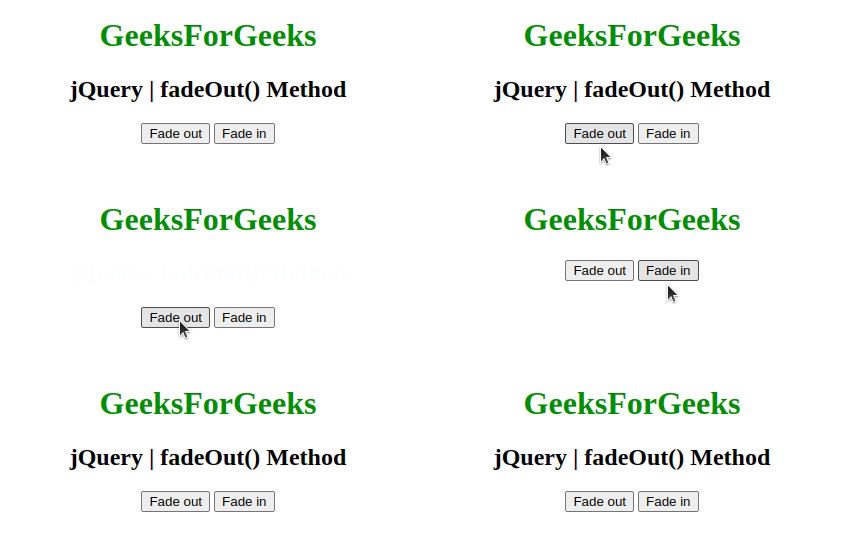
例子1: 这个例子显示淡入和淡出效果。
<!DOCTYPE html>
<html>

<head>
    <title>
        jQuery | fadeOut() Method
    </title>
    <script src=
"https://ajax.googleapis.com/ajax/libs/jquery/3.3.1/jquery.min.js">
    </script>
</head>

<body style="text-align:center;">

    <h1 style="color:green;">
        GeeksForGeeks
    </h1>
    <h2>jQuery | fadeOut() Method</h2>
    <button class="btn1">Fade out</button>
    <button class="btn2">Fade in</button>

    <!-- Script to display fadeIn and fadeOut effect -->
<script>
        $(document).ready(function () {
            $(".btn1").click(function () {
                $("h2").fadeOut()
            });

            $(".btn2").click(function () {
                $("h2").fadeIn();
            });
        });
    </script>
</body>

</html>
输出:
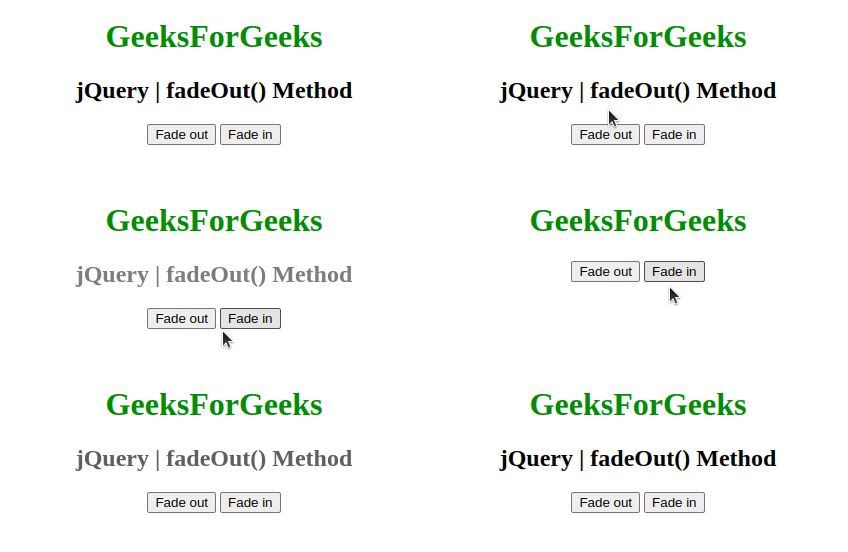
实例2: 本例创建淡入淡出效果并设置其速度。给定的速度以毫秒为单位。
<!DOCTYPE html>
<html>

<head>
    <title>
        jQuery | fadeOut() Method
    </title>
    <script src=
"https://ajax.googleapis.com/ajax/libs/jquery/3.3.1/jquery.min.js">
    </script>
</head>

<body style="text-align:center;">
    <h1 style="color:green;">
        GeeksForGeeks
    </h1>
    <h2>jQuery | fadeOut() Method</h2>
    <button class="btn1">Fade out</button>
    <button class="btn2">Fade in</button>

<script>
        $(document).ready(function () {
            $(".btn1").click(function () {
                $("h2").fadeOut(1000);
            });

            $(".btn2").click(function () {
                $("h2").fadeIn(1000);
            });
        });
    </script>
</body>

</html>
输出:
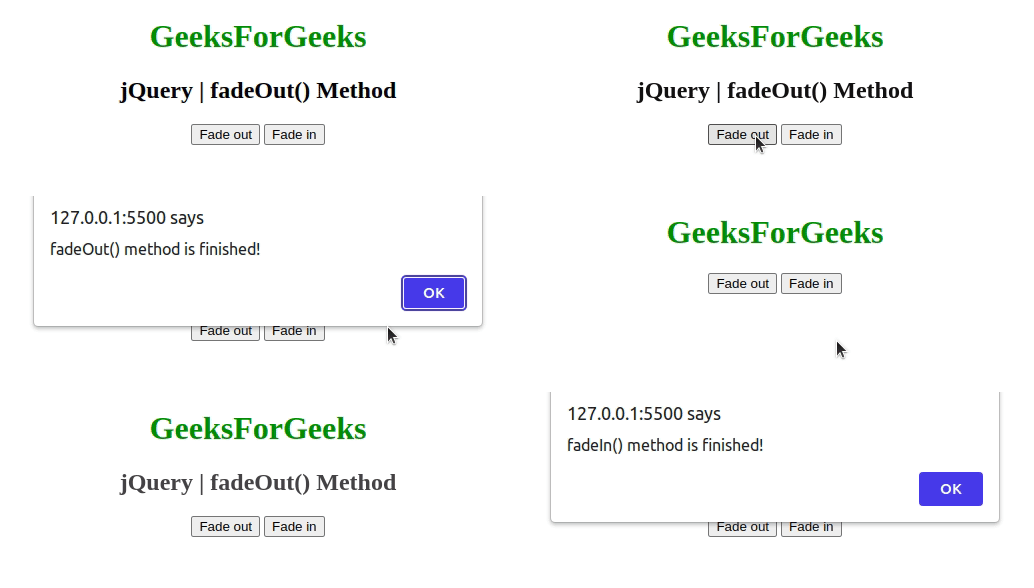
示例3: 创建带有警报信息的淡入和淡出效果。
<!DOCTYPE html>
<html>

<head>
    <title>
        jQuery | fadeOut() Method
    </title>
    <script src=
"https://ajax.googleapis.com/ajax/libs/jquery/3.3.1/jquery.min.js">
    </script>
</head>

<body style="text-align:center;">
    <h1 style="color:green;">
        GeeksForGeeks
    </h1>
    <h2>jQuery | fadeOut() Method</h2>
    <button class="btn1">Fade out</button>
    <button class="btn2">Fade in</button>

    <!-- Script to create fadeIn and fadeOut effect -->
<script>
        $(document).ready(function () {
            $(".btn1").click(function () {
                $("h2").fadeOut(1000, function () {
                    alert("fadeOut() method is finished!");
                });
            });

            $(".btn2").click(function () {
                $("h2").fadeIn(1000, function () {
                    alert("fadeIn() method is finished!");
                });
            });
        });
    </script>
</body>

</html>
输出: