jQuery 实现鼠标悬停事件:段落文字变色为红色
发布日期 : 2020-12-22 21:11:53 UTC
访问量: 10 次浏览
如何使用jQuery将任何段落的颜色在鼠标移动事件中改为红色
在这篇文章中,我们将学习如何在鼠标移动事件中把任何段落的颜色改为红色。
方法: 这可以通过使用 jQuery 的 on() 方法来实现,在 mouseover 事件中附加一个事件处理函数。
当用户将光标悬停在任何段落上时,这个事件就会发生。来自 on() 方法的处理函数被定义为一个匿名函数,使用 jQuery 中的 css() 方法改变段落的 CSS 样式。
它使用 this 绑定来应用红色的颜色,从而将被点击的段落的颜色改为红色。
语法:
$("p").on("mouseover", function() {
    $(this).css("color", "red");
});
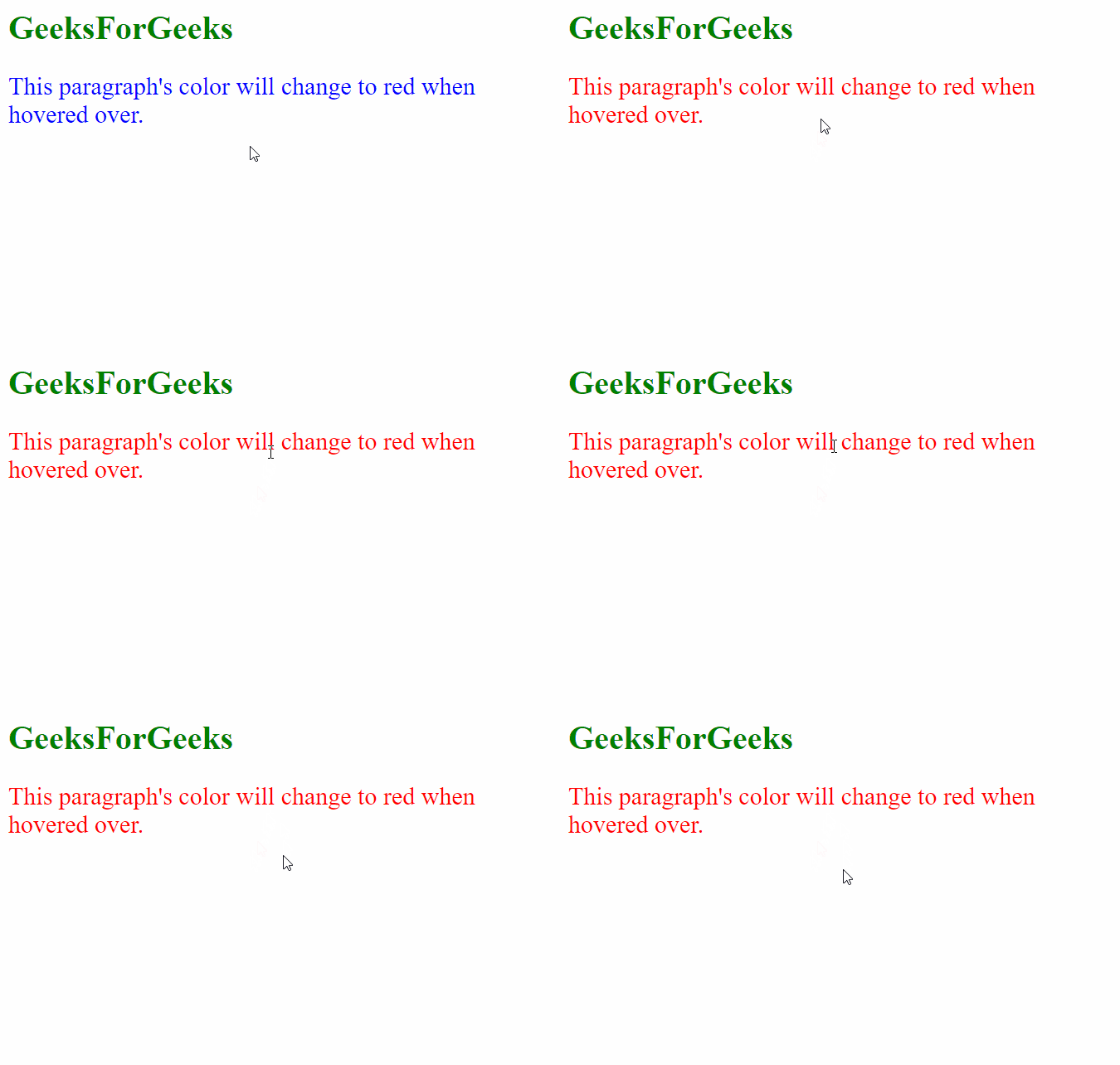
例子: 在这个例子中,只要用户将鼠标悬停在段落上,段落元素就会变成红色。
<html>
<head>
  <script src=
"https://code.jquery.com/jquery-git.js">
  </script>
  <style>
    p {
      color:blue;
      font-size: 24px
    }
  </style>
</head>

<body>
  <h1 style="color: green;">
    GeeksForGeeks
  </h1>
  <p>
    This paragraph's color will change
    to red when hovered over.
  </p>

  <script>

    // Add the mouseover event handler to
    // the paragraph element
    $("p").on("mouseover", function () {

      // Set the text color of
      // this element to red
      $(this).css("color", "red");
    });
  </script>
</body>
</html>
输出: