Pillow 图片水印制作:文字水印添加与位置设置
发布日期 : 2020-10-27 11:29:03 UTC
访问量: 10 次浏览
Python Pillow 创建水印
你已经注意到了,一些网上的照片是有水印的。水印无疑是保护你的图片不被滥用的更好方法之一。另外,建议在社交媒体上分享你的创意照片之前,给它们添加水印,以防止它们被滥用。
水印一般是指覆盖在照片上的一些文字或标志,以确定谁拍摄了照片或谁拥有照片的权利。
枕头包允许我们在你的图像上添加水印。为了在图片上添加水印,我们需要枕头包的
“Image“、“ImageDraw“和“ImageFont“模块。
ImageDraw “模块增加了在新的或现有的图像上绘制2D图形的功能。ImageFont “模块用于加载位图、TrueType和OpenType字体文件。
例子
下面的python程序演示了如何使用python pillow在图像上添加水印。
#Import required Image library
from PIL import Image, ImageDraw, ImageFont

#Create an Image Object from an Image
im = Image.open('images/boy.jpg')
width, height = im.size

draw = ImageDraw.Draw(im)
text = "sample watermark"

font = ImageFont.truetype('arial.ttf', 36)
textwidth, textheight = draw.textsize(text, font)

# calculate the x,y coordinates of the text
margin = 10
x = width - textwidth - margin
y = height - textheight - margin

# draw watermark in the bottom right corner
draw.text((x, y), text, font=font)
im.show()

#Save watermarked image
im.save('images/watermark.jpg')
输出
假设,以下是位于image文件夹中的输入图片boy.jpg。
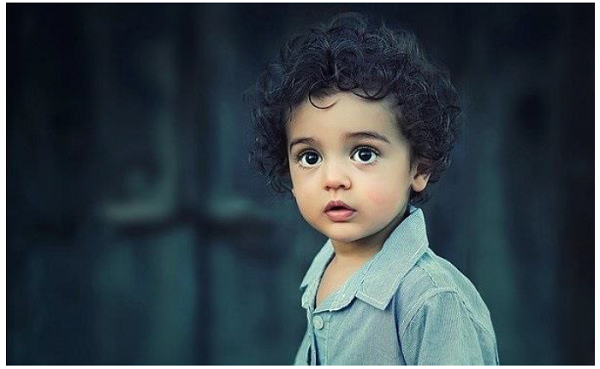
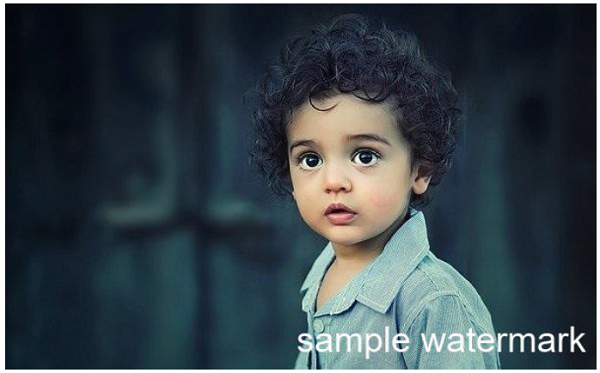
执行上述程序后,如果你观察输出文件夹,你可以看到结果的watermark.jpg文件,上面有水印,如下图所示。