wxPython RadioButton 大小设置教程
发布日期 :2021-08-17 09:22:00 UTC
访问量: 10 次浏览
wxPython 改变单选按钮的大小
在这篇文章中,我们将学习如何改变单选按钮的大小。 我们将使用与wxPython的wx.RadioButton类相关的SetSize()函数改变Radio Button的大小。 SetSize()函数简单地用于改变Radio Button窗口的大小,单位是像素。
语法: wx.RadioButton.SetSize(Self, size)
参数
| 参数 | 输入类型 | 说明 |
|---|---|---|
| size | wx.Size | 单选按钮的尺寸 |
代码示例:
import wx

APP_EXIT = 1


class Example(wx.Frame):

    def __init__(self, *args, **kwargs):
        super(Example, self).__init__(*args, **kwargs)

        self.InitUI()

    def InitUI(self):
        self.pnl = wx.Panel(self)

        # create radio button at position (30, 10)
        self.rb1 = wx.RadioButton(self.pnl, label ='Btn1',
                             pos =(30, 10), size =(100, 20))

        # change background colour
        self.rb1.SetBackgroundColour((255, 100, 255, 255))

        # change size to (300, 50)
        self.rb1.SetSize((300, 50))


def main():
    app = wx.App()
    ex = Example(None)
    ex.Show()
    app.MainLoop()


if __name__ == '__main__':
    main()
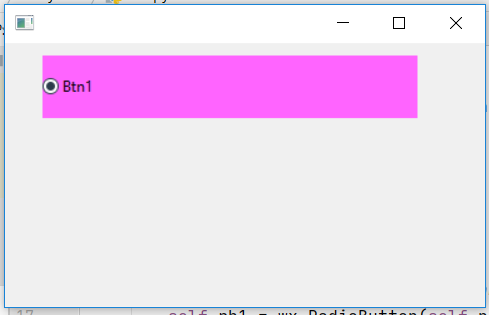
输出窗口: