Python ``tensorflow.math.sqrt()`` 平方根函数用法与示例
发布日期 : 2020-05-13 14:46:02 UTC
访问量: 10 次浏览
Python – tensorflow.math.sqrt()
TensorFlow是谷歌设计的开源Python库,用于开发机器学习模型和深度学习神经网络。
sqrt()是用来计算元素的平方根的。
语法:
tensorflow.math.sqrt(x, name)
参数:
- x:它是一个张量。允许的d类型是bfloat16, half, float32, float64, complex64, complex128。
- name(可选):它定义了该操作的名称。
返回:
它返回一个张量。
示例 1:
# importing the library
import tensorflow as tf

# Initializing the input tensor
a = tf.constant([ 5, 7, 9, 15], dtype = tf.float64)

# Printing the input tensor
print('a: ', a)

# Calculating result
res = tf.math.sqrt(a)

# Printing the result
print('Result: ', res)
输出:
a: tf.Tensor([ 5. 7. 9. 15.], shape=(4, ), dtype=float64)
Result: tf.Tensor([2.23606798 2.64575131 3. 3.87298335], shape=(4, ), dtype=float64)
例子2:
视觉化
# import tensorflow as tf
import matplotlib.pyplot as plt

# Initializing the input tensor
a = tf.constant([ 5, 7, 9, 15], dtype = tf.float64)

# Calculating tangent
res = tf.math.sqrt(a)

# Plotting the graph
plt.plot(a, res, color ='green')
plt.title('tensorflow.math.sqrt')
plt.xlabel('Input')
plt.ylabel('Result')
plt.show()
输出:
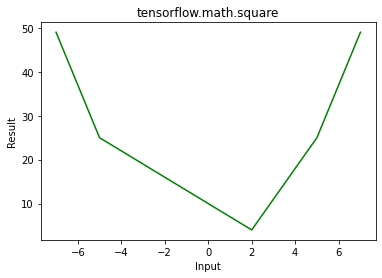 ")
")