PhantomJS 网页截图与导出功能
发布日期 :2019-07-09 09:54:51 UTC
访问量: 15 次浏览
PhantomJS 屏幕截图
使用PhantomJS可以很方便地对网页进行截图,并将网页转换为PDF。下面是一个简单的示例,演示了它的工作原理。
示例
var page = require('webpage').create();
page.open('http://phantom.org/',function(status){
page.render('phantom.png');
phantom.exit();
});
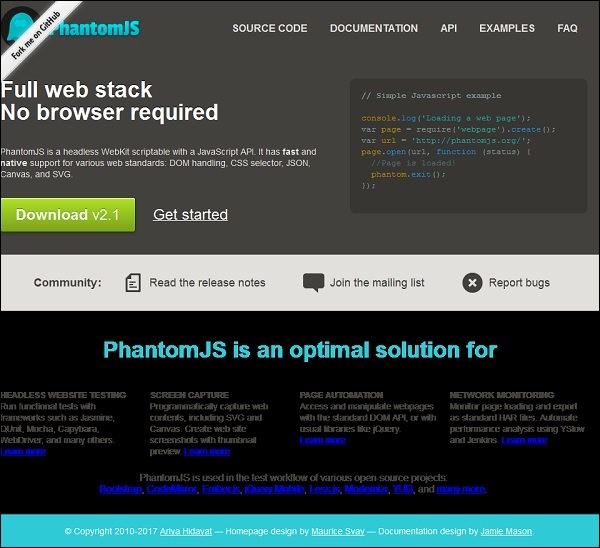
执行上面的程序,输出将以 phantom.png 的文件名保存。
将网页转换为PDF文件
PhantomJS还可以将网页转换为带有页眉和页脚的PDF文件。请看以下示例以了解其工作原理。
var wpage = require('webpage').create();
var url = "https://en.wikipedia.org/wiki/Main_Page";
var output = "test.pdf";

wpage.paperSize = {
width: screen.width+'px',
height: '1500px',

margin: {
'top':'50px',
'left':'50px',
'rigtht':'50px'
},
orientation:'portrait',
header: {
height: "1cm",
contents: phantom.callback(function(pageNumber, nPages) {
return "<h5>Header <b>" + pageNumber + " / " + nPages + "</b></h5>";
})
},
footer: {
height: "1cm",
contents: phantom.callback(function(pageNumber, nPages) {
return "<h5>Footer <b>" + pageNumber + " / " + nPages + "</b></h5>";
})
}
}
wpage.open(url, function (status) {
if (status !== 'success') {
console.log('Page is not opening');
phantom.exit();
} else {
wpage.render(output);
phantom.exit();
}
});
以上的程序生成了以下的输出。
The above will convert the page into pdf and will be saved in test.pdf
将Canvas转换为图像
Phantomjs 可以轻松地将 Canvas 转换为图像。请查看以下示例以了解其工作原理。
var page = require('webpage').create();
page.content = '<html><body><canvas id="surface" width="400" height="400"></canvas></body></html>';

page.evaluate(function() {
var context,e1;
el = document.getElementById('surface');

context = el.getContext('2d');
context.font = "30px Comic Sans MS";
context.fillStyle = "red";
context.textAlign = "center";
context.fillText("Welcome to PhantomJS ", 200, 200);

document.body.style.backgroundColor = 'white';
document.body.style.margin = '0px';
});
page.render('canvas.png');
phantom.exit();
上面的程序生成了以下输出。

本文链接 :PhantomJS 网页截图与导出功能